


Filter for Selfie
4.664.00 Reviews
App Specs
- Version
- 2.1.1.1
- Updated On
- License
- Free
- Downloads
- 1,000,000+
- Developer
- GeniusTools Labs
- Categories
- Beauty
- Platform
- Android
Screenshots
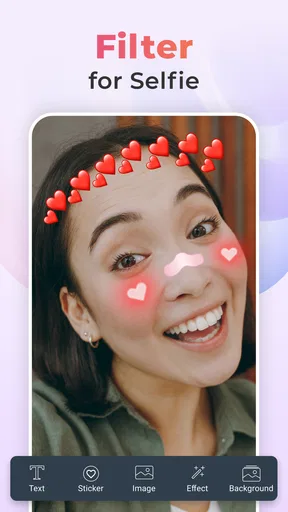
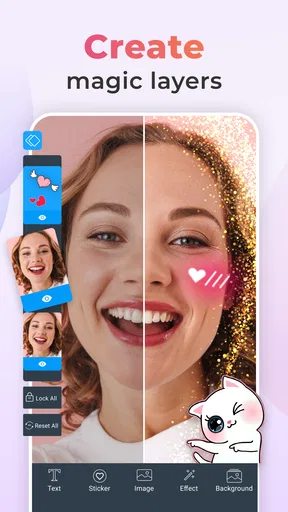
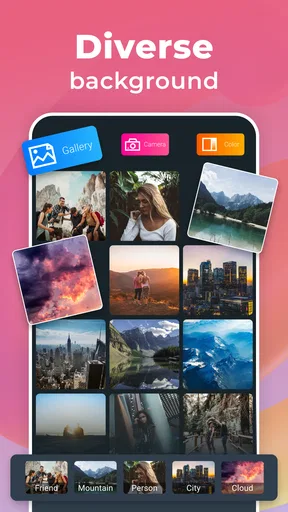
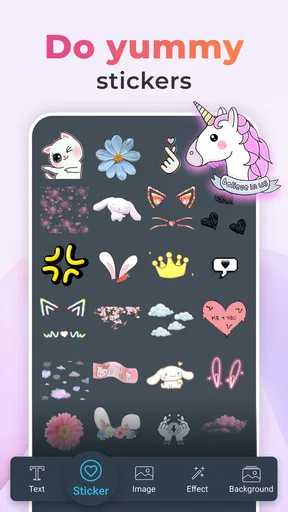
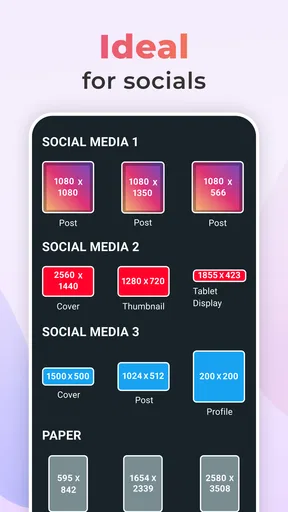
 Analysis by AppCompare
I judge a selfie filter app less by how dramatic its effects look in a preview and more by whether I can get a usable picture without slowing down an ordinary moment. Filter for Selfie is aimed at quick, playful photo changes, so it makes the most sense when I want to experiment with a face effect rather than spend time on a full editing session. That distinction matters: it is a beauty app for casual snapshots, not a replacement for a dedicated photo editor or a camera app built around manual controls.
Quick edits suit spontaneous photos
The appeal of this kind of app is speed of decision, not necessarily a promise that every effect or edit will be instant on every phone. A live preview can help me compare a look before taking the picture, which is useful when a friend is waiting or the light is changing. Instead of capturing several nearly identical selfies and sorting them out later, I can settle on a direction while framing the shot. For a quick profile update or a silly group selfie, that is a practical advantage.
I would still keep the process simple: frame the face, check the effect at the size the photo will actually be viewed, and take a few shots only if the expression or lighting changes. Filters can look convincing on a small preview yet feel too strong once the image is opened full size. A useful habit is to compare the unfiltered view with the effect before committing. That small pause helps keep the result playful rather than overworked.
Where repeated use can feel less effortless
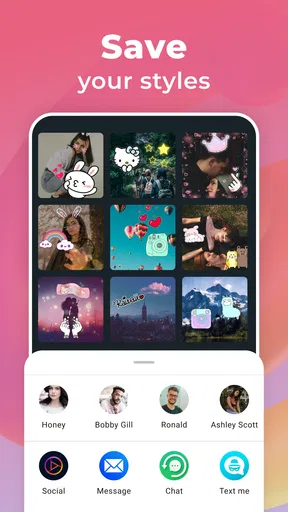
Filter browsing is part of the fun, but it can also become the main source of friction. When I am trying to capture a particular mood, scrolling through options takes attention away from the person in front of the camera. Saving favorites, as the app allows, is therefore more than a convenience: it gives me a short list to return to when I want a familiar look, instead of beginning the search from scratch each time.
That shortcut is especially useful for a repeatable routine, such as taking a quick selfie before a video call or making a small set of photos for a social post. I would choose one or two effects that suit the lighting and stick with them, rather than applying a different treatment to every image in a batch. It keeps the pictures feeling consistent and makes the app easier to use when time is limited.
Reliability and a sensible backup plan
The published experience describes smooth operation, but real-world performance depends on the phone, available resources, and what else is running. I would not assume that every device will behave identically, especially during a longer session with the camera open and multiple edits. If a preview stutters or the app becomes unresponsive, closing other active apps and reopening it is a sensible first step; keeping the original photo, where possible, also avoids turning an edit into a one-way decision.
For an important occasion, I would take a plain camera photo as well as experimenting with effects. That is not a criticism of the app so much as a practical safeguard: a filter app is best treated as a creative option, not the only copy of a moment I cannot repeat. For everyday fun, that extra backup is unnecessary; for a once-only event, it is an easy way to reduce risk.
Worth Reading Before You Choose

Baby Panda World Brings Quick Play to Modern Phones, but Its Game Library Feels Busy

ESPN’s Live Game View Makes Following Close Games Easier

QuizzLand Review: A Good Fit for Short Trivia Breaks, Not Every Player

Basketball Stars: Multiplayer Is Fast, but Can It Recover When Matches Go Wrong?

WEBTOON Turns Phone Updates Into a Better Reading Routine

Link to Windows Runs on Shared Habits, Not Social Feeds
First Impressions of the App
When I first downloaded Filter for Selfie, I was immediately impressed by its sleek and user-friendly interface. It’s one of those apps that doesn’t make you jump through hoops to get started. The main screen greets you with a simple camera button, ready for your next photo shoot. Honestly, it’s refreshing to find an app that doesn’t bombard you with ads or complicated menus right off the bat.
Features That Stand Out
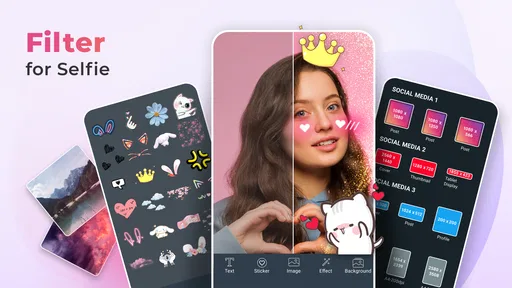
What really sets this app apart is its vast array of filters. From subtle enhancements to dramatic changes, there’s something for every occasion. Whether you’re feeling cute or edgy, the app offers a wide range of options to transform your selfies.
One of my favorite features is the real-time filter preview. As you’re snapping away, you can see exactly how each filter will look, saving you the hassle of post-processing. It’s like having a personal makeup artist in your pocket!
- Advanced Editing Tools
- Beyond filters, the app also boasts a suite of editing tools. Need to tweak the brightness or contrast? No problem. Want to smooth out those skin imperfections? Done and done. The tools are intuitive and easy to use, even for those who aren’t Photoshop pros.
Usability and Performance
Now, let’s talk about performance. I tested the app on both Android and iOS devices, and it ran smoothly on both platforms. No lagging, no crashing—just seamless operation. The images processed quickly, and the app didn’t drain my battery, which is a huge plus when you’re out and about.
Another nifty feature is the ability to save your favorite filters for quick access. It’s a small detail, but it makes the whole experience much more personalized and convenient.
Sharing Your Masterpieces
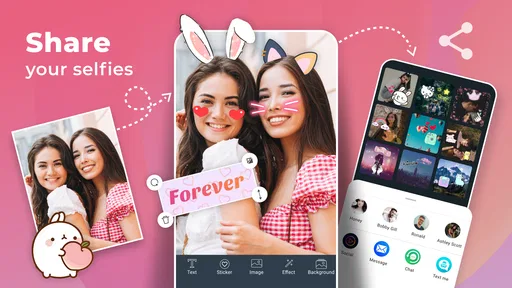
What good is a great selfie if you can’t show it off, right? Filter for Selfie makes sharing your edited photos a breeze. With just a few taps, you can upload your creations to social media platforms like Instagram, Snapchat, and Facebook. The app even offers direct links to popular messaging apps, so you can send your latest selfie to friends and family without any fuss.
What Could Be Improved
While the app is fantastic, there’s always room for improvement. One thing I noticed is that some filters could be better categorized. You might find yourself scrolling a bit to find that perfect filter. Adding more categories or tags could streamline the process.
Another suggestion would be incorporating some fun, seasonal filters. Imagine themed filters for holidays or special events. It would add a fresh, exciting element to the app, keeping users engaged and coming back for more.
Choosing the right tool for the job
Compared with the filters built into a phone camera, this app is the more playful choice when I want to see a face effect before taking the shot and make a quick beauty adjustment. A standard camera is usually better when I care most about dependable capture, natural color, or controls over the final image. A general photo editor is a better fit for careful cropping, detailed retouching, or adjustments beyond a selfie-focused workflow. I see this app as a convenient middle ground: more expressive than a basic camera, less involved than a full editing suite.
That makes it a good match for casual users who want a ready-to-use filter without learning a complicated tool. It is less suitable for someone who needs precise control over every edit, wants a polished batch of images with a consistent finish, or prefers to keep photos close to their original appearance. In those situations, I would start with the phone camera or choose a dedicated editor, then use a selfie filter only if the effect itself is the point.
A realistic moment to use it
Imagine meeting a friend for coffee and deciding to take a quick selfie before you leave. The light near the window is decent, but you do not want to open a separate editor, adjust several sliders, export a copy, and then send it. A live preview lets you test a couple of moods while you frame the picture; a saved favorite can make the next attempt quicker. Once you have a photo you like, the sharing options keep the handoff straightforward. If the effect makes skin look too smooth or changes the mood more than you wanted, switch it off and take a natural version too.
That last comparison is a useful tip for anyone new to face filters. The strongest effect is not always the most flattering, and a preview can distract from expression, pose, or background. I look at the whole frame, not just the face: a filter that suits a close-up may look odd when another person or a bright background is included. Taking a moment to check the edges and the overall color can save a disappointing post.
Who will enjoy it, and who may not
I would recommend trying it if you take casual selfies, enjoy experimenting with different looks, or want a simple way to brighten and soften a portrait before sharing. Its focus is clear, and that narrow purpose is a strength when I do not want to navigate a large editor. The app is free to install, though it offers in-app purchases ranging from $0.99 to $99.99 per item, so I would check the purchase prompt carefully and decide whether the available free experience already does what I need.
It is also worth knowing that the app is rated for Everyone, which may make it approachable for a broad audience, but filters are still a matter of taste. I would avoid treating smoothing as a requirement for a good photo. For natural portraits, work, or situations where accurate appearance matters, I would use little or no retouching and rely on decent light and framing instead. A filter should be an optional creative choice, not a standard that every face has to meet.
Device expectations and version context
The app is developed by GeniusTools Labs, and its current version is 2.1.1.1. It supports Android 5.0 and later, so older compatible devices may be able to run it, but that does not guarantee the same responsiveness across all hardware. Camera previews and image effects can be more demanding than browsing a static screen. If your phone is older or low on free space, I would keep a session short, close apps you are not using, and avoid assuming that a slow preview means the photo itself is unusable.
On a newer device, I would still be mindful of heat and battery during an extended photo session, as with any camera-based app. The best way to judge fit is to try a brief session in the setting where you plan to use it: indoor light, a group, or a quick outdoor portrait. That reveals more than a feature list because it tests the actual combination of camera, lighting, and phone you rely on. If you need highly dependable results for an important shoot, the native camera remains the safer starting point.
What the audience response suggests
Filter for Selfie has a 4.7 average from around 9,700 ratings, with more than 1 million installs. Those figures suggest that many people have found a reason to try it, but they do not tell me whether its particular effects will match your taste or how it will behave on your phone. The app was released on June 4, 2020, and has continued to have a current version, so it is not simply a one-off novelty. I would use the popularity as a reason to explore it, not as a promise that every filter or editing choice will suit me.
For someone deciding whether to keep it, I would ask a practical question after a few tries: does it make taking the kind of selfie I actually want easier? If the answer is yes, saved favorites and quick sharing can make it a handy occasional tool. If I find myself spending longer searching for an effect than taking the picture, the phone’s built-in camera may be the more comfortable everyday choice.
Final Thoughts
All in all, Filter for Selfie is a must-have for anyone who loves taking selfies. It’s easy to use, packed with features, and performs beautifully across devices. Whether you’re a seasoned selfie pro or just getting started, this app has something for everyone.
If you’re ready to take your selfies to the next level, I highly recommend giving this app a try. You can find it on both the Google Play Store and the Apple App Store. Happy snapping!
Pros
- User-friendly interface for quick edits.
- Wide variety of filters to choose from.
- Real-time preview before saving photos.
- Minimal ads enhance user experience.
- Works offline for editing on the go.
Cons
- Limited free features available.
- Occasional lags on older devices.
- In-app purchases can be pricey.
- Requires frequent updates for stability.
- No cloud backup for edited photos.
FAQs for Filter for Selfie
What features does the 'Filter for Selfie' app offer?
The 'Filter for Selfie' app provides a range of features designed to enhance your photos. These include a variety of filters, beauty enhancement tools, and editing options like cropping and adjusting brightness. The app also supports real-time filter application, allowing users to see effects before capturing the photo.
Is the 'Filter for Selfie' app free to use?
The app is free to download and offers a selection of basic filters and tools at no cost. However, it includes in-app purchases for premium filters and features, such as advanced editing options and exclusive beauty enhancements. Users can choose to subscribe for full access.
Does the app require an internet connection to function?
The 'Filter for Selfie' app primarily works offline, enabling users to apply filters and edit photos without an internet connection. However, an internet connection is needed for downloading additional content, updates, and sharing edited photos directly to social media platforms.
What are the system requirements for the 'Filter for Selfie' app?
The app is compatible with both Android and iOS devices. For Android, it requires version 5.0 and up, while iOS users need version 11.0 or later. It's optimized for smooth performance on a wide range of smartphones, but newer devices will ensure the best experience.
Are there any privacy concerns with using the app?
The app collects minimal user data, mainly for enhancing user experience and providing personalized recommendations. It adheres to strict privacy policies, ensuring that personal photos and data are not shared without consent. Users can review the privacy policy within the app settings for more details.


